Site · Data
Databases Overview
Last updated 18 November 2026
Insites' powerful administrative user interface simplifies how you view, create, and manage databases and their content within a Site.
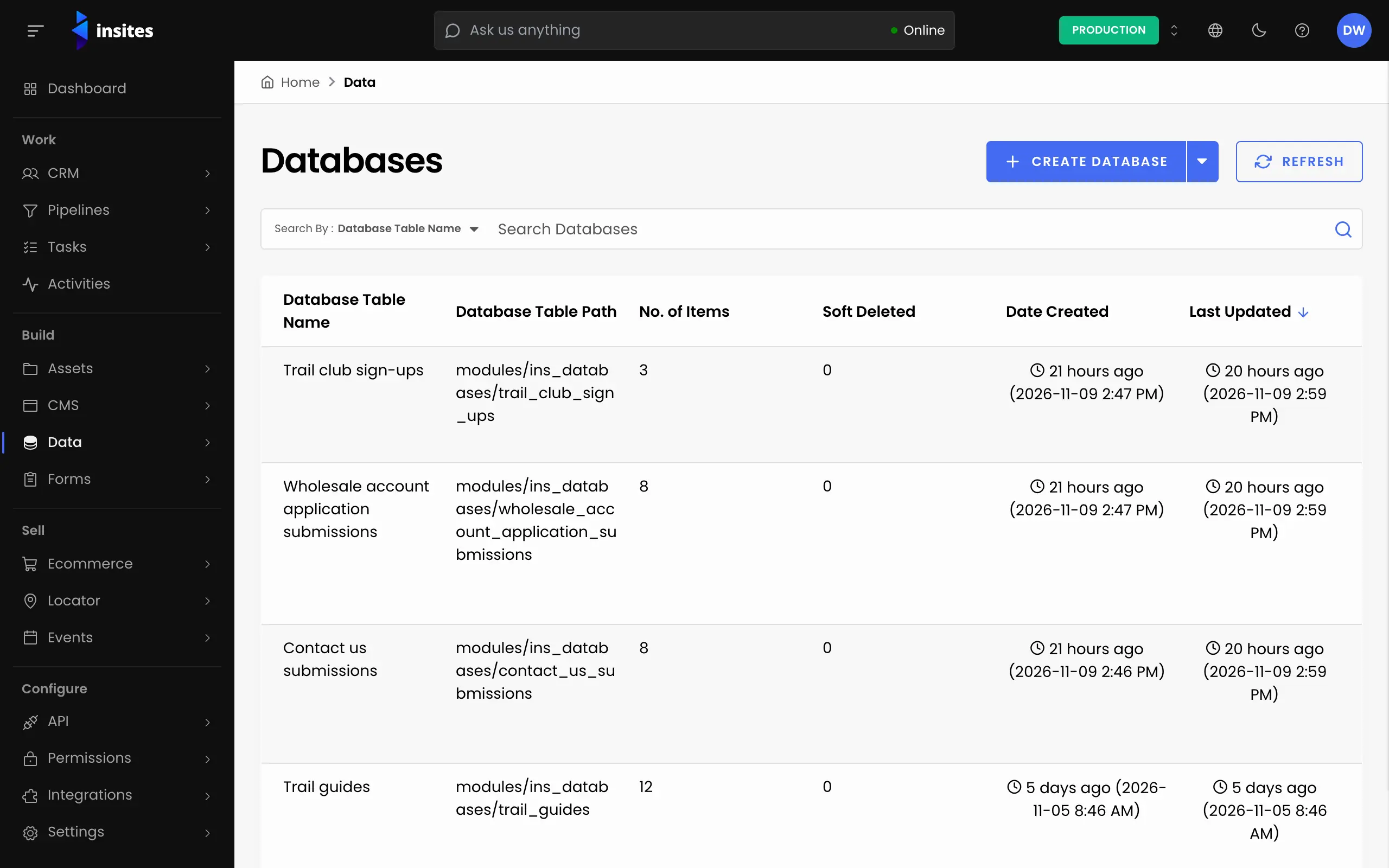
Traditionally, managing database content often involves working directly with complex data table interfaces, which can be inefficient and prone to errors. The Insites Site Admin provides a user-friendly alternative, offering several key advantages:
- Enhanced User Experience: The intuitive design of the Site Admin makes navigating and manipulating your data easier, leading to increased productivity and a less frustrating experience.
- Improved Data Integrity: The Site Admin incorporates features like guided input and data validation to help ensure the accuracy and consistency of your data, reducing the risk of errors and improving the overall reliability of your information.
- Simplified Error Correction: The Site Admin makes it easier to quickly identify and correct data input errors, helping minimize data corruption and maintain the quality of your database.
- Streamlined Database Management: The Site Admin simplifies many common database management tasks like importing/exporting, reducing the need for specialized technical expertise. This empowers a wider range of users to manage their data effectively.
You may use the links below for a detailed guide on using and managing your data in Insites: