Site · API
Create an endpoint that returns your data
Last updated 18 November 2026
Create a Custom API Endpoint in the API module that returns records from one of your tables as JSON.
At the end of this guide you will have your own address on your site that returns your data as JSON. Another system, a mobile app or a report can read it. You create it in the Site Admin.
A Custom API Endpoint is a page on your site. You give it an address and a request method, then write a short Liquid body that decides what it returns.
Open Custom API Endpoints
In the Site Admin, select API on the main menu, then Custom API Endpoints. Click Create Custom API Endpoint.
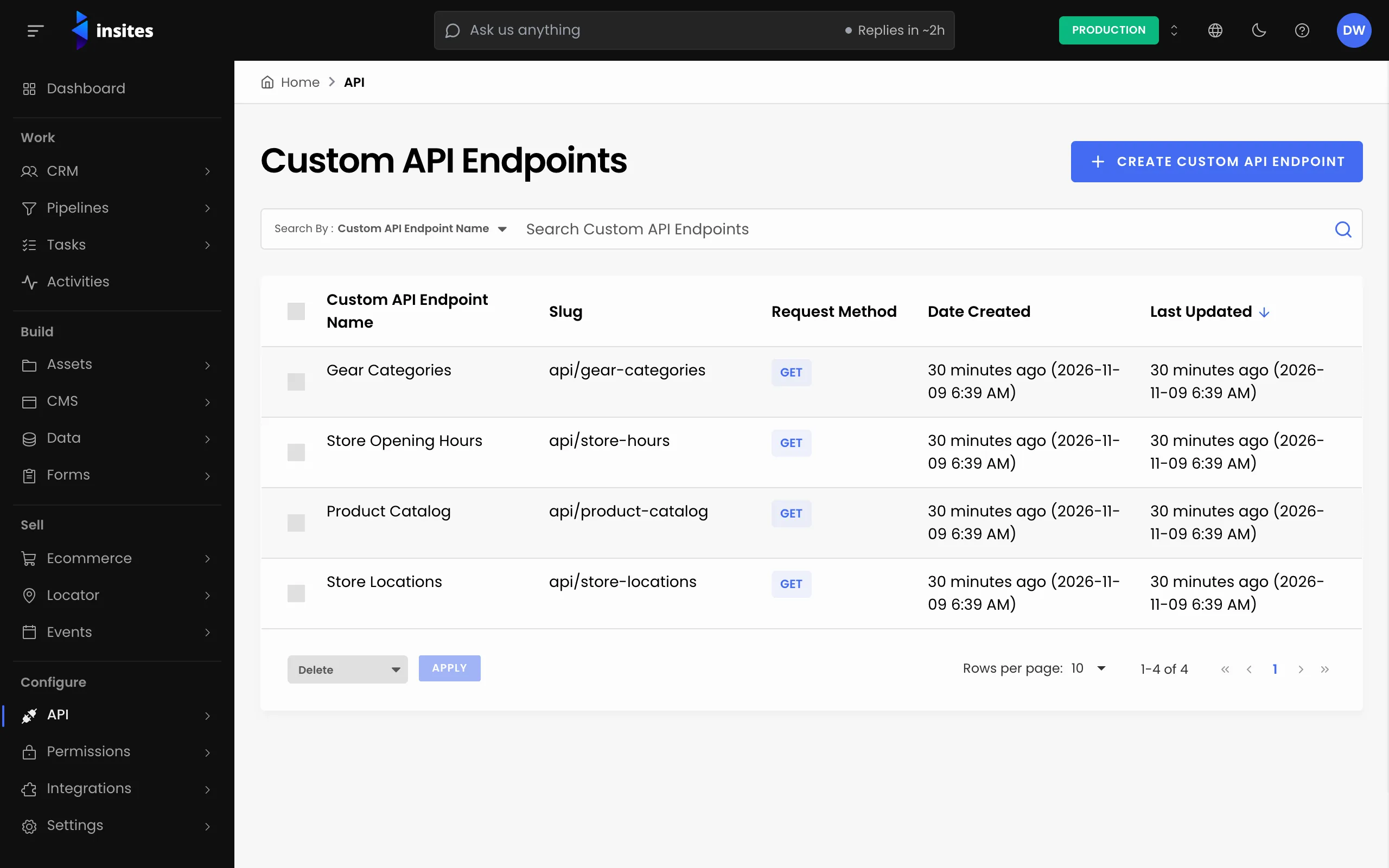
The form has two tabs: Details and Body.
Name it and check the address
Enter a Custom API Endpoint Name, for example Staff list. As you type, Insites fills in two more fields for you:
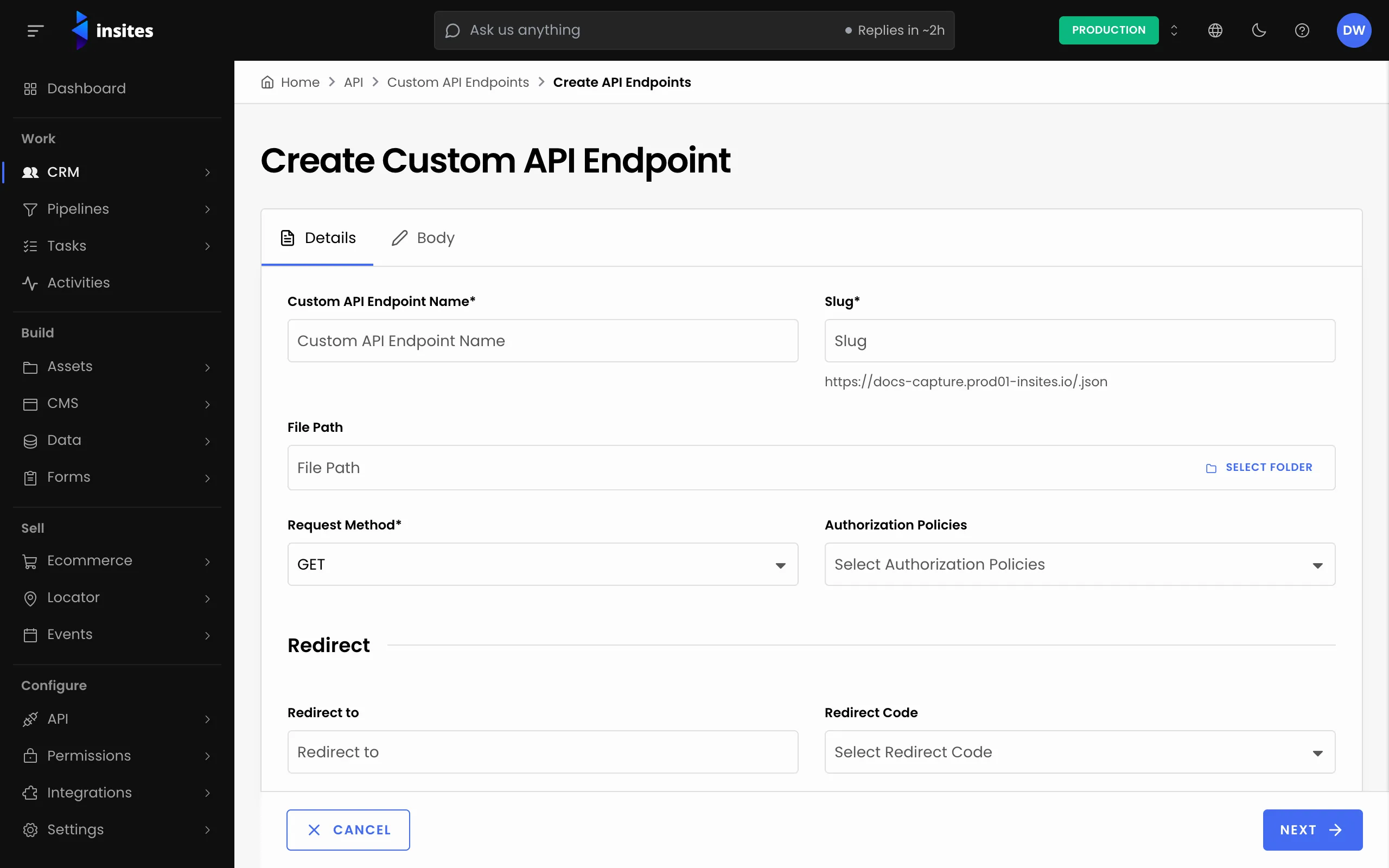
- Slug, for example
staff-list. The full address shows under the field, for examplehttps://your-instance/staff-list.json. - File Path, for example
modules/ins_api/public/views/pages/staff-list.json.liquid. This is where Insites saves the endpoint. You can keep it.
Keep the .json ending. Only endpoints with the JSON format appear in the Custom API Endpoints list.
Choose the request method
Pick a Request Method: GET, POST, PUT, PATCH or DELETE. To return data, choose GET. One endpoint answers one method.
Choose who can call it
In Authorization Policies, pick one or more policies. Each one must allow the request before the body runs.
- Site API Key lets in callers that send your site API key. Use it for another system that calls you.
- None attaches no policy, so anyone with the address can read it.
Warning
An endpoint with no policy is public. Choose None only when the data is meant for everyone.
The Redirect section is optional. Leave it empty for a data endpoint. Click Next.
Write the body
On the Body tab, write the Liquid that builds the response. This example returns the 20 newest items from a table, with two fields each:
Body
{% graphql result %}
  query {
    records(
      per_page: 20
      filter: { table: { value: "modules/ins_databases/staff_members" } }
      sort: [{ created_at: { order: DESC } }]
    ) {
      results {
        id
        name: property(name: "name")
        email: property(name: "email")
      }
    }
  }
{% endgraphql %}
{{ result.records.results | json }}
Replace the table and the field names with your own. A table you created in the Data module has a path that starts with modules/ins_databases/. You can see it on the database's Configuration tab.
Tip
per_page is required on every records query. If you leave it out, the query fails.
Create it and test it
Click Create Custom API Endpoint. Insites shows Custom API Endpoint successfully created.
Open the address from the Slug field to test it. If you chose Site API Key, send the key with the request as shown in Call your site with an API key.
To change the endpoint later, open it from the list. The edit screen also has Duplicate and Delete.