Create a sales pipeline and its stages
Last updated 18 November 2026Applies to Pipelines v5.10
When you finish this guide, you have a working sales pipeline. It has its own stages, a sales target and a board where your team tracks each deal. It takes about 10 minutes.
You need admin access to your site. Have your list of stages ready, for example Lead, Qualified, Proposal and Negotiation.
Step 1 of 8
Step 1: Start a new pipeline
In the admin, go to Pipelines > Configuration. Select ADD PIPELINE. The Add Pipeline page opens on the Details tab.
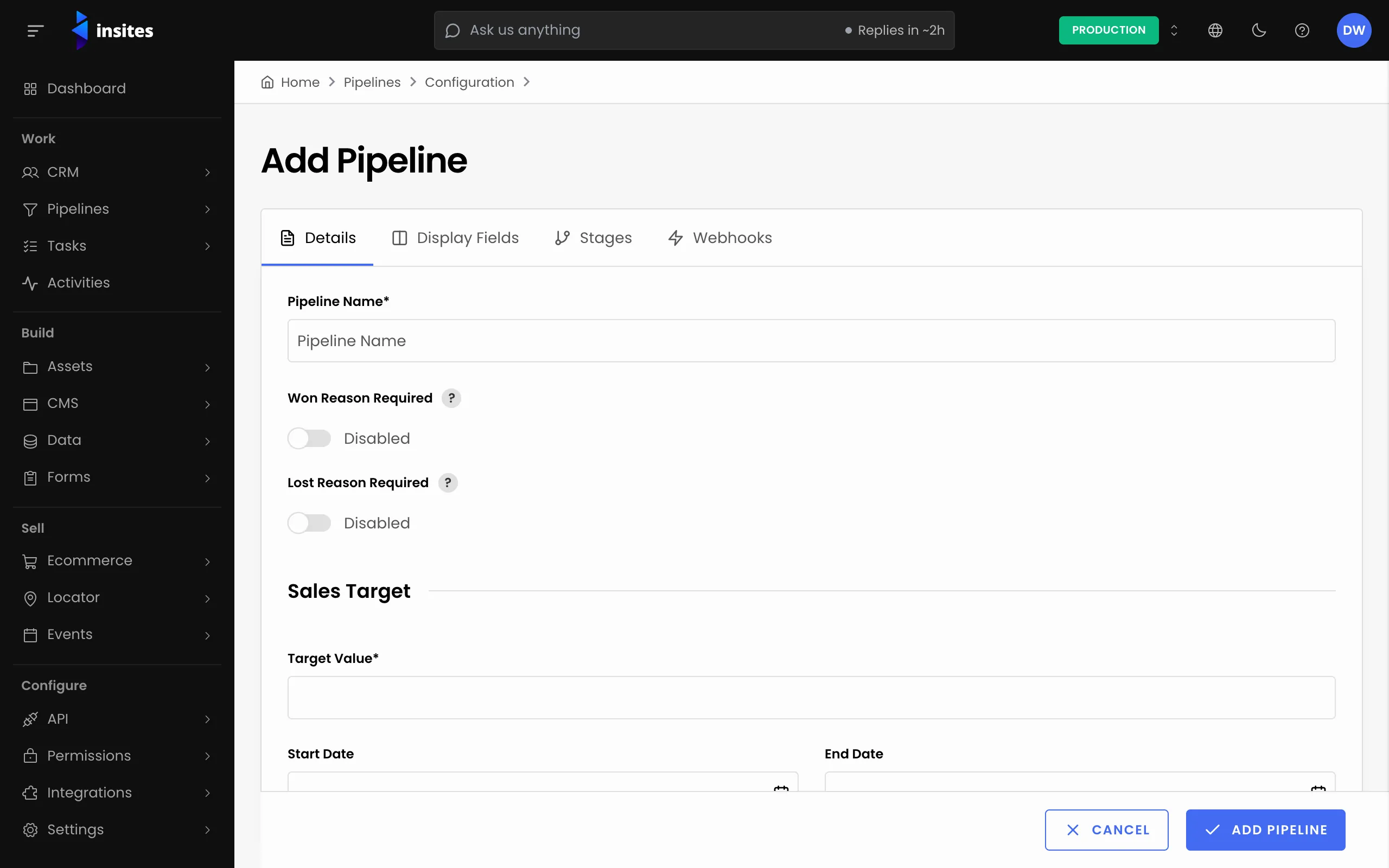
The page has four tabs: Details, Display Fields, Stages and Webhooks. Nothing is saved until you select ADD PIPELINE at the bottom, so you can move between tabs freely.
All 8 steps done
You finished Create a sales pipeline and its stages. Pick where to go next.