Site · Pipelines
Notify another system when a stage changes
Last updated 18 November 2026Applies to Pipelines v5.10
Send a webhook to your own system when a deal changes stage.
When you finish this guide, another system hears about every stage change as it happens. For example, your accounting tool can start a quote when a deal reaches Proposal. Insites sends a webhook: an HTTP request to a URL you choose.
You need admin access, and a URL in your other system that accepts a POST request with a JSON body.
Choose one pipeline or all of them
Pipelines has two places for webhooks:
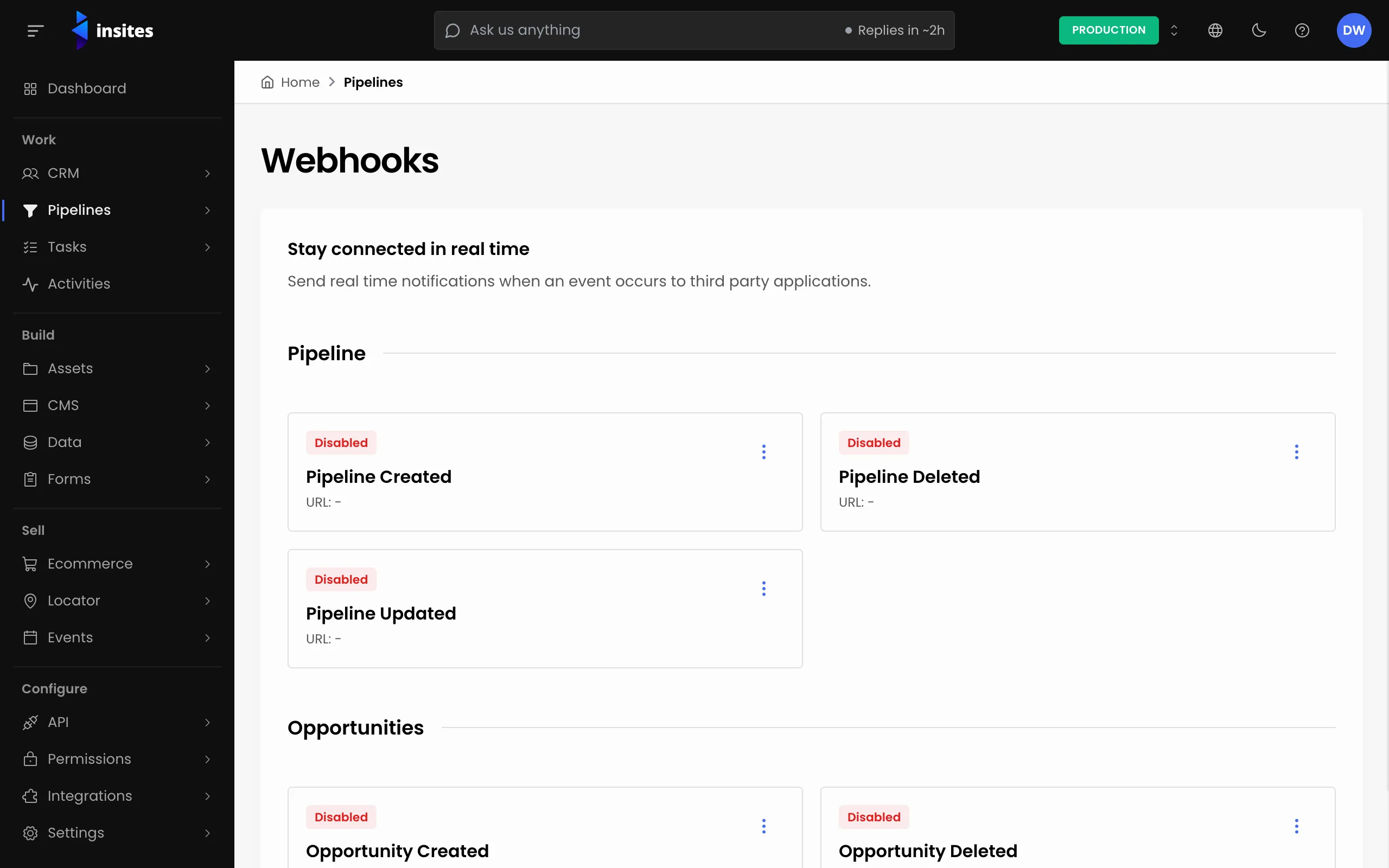
- One pipeline: go to Pipelines > Configuration, open the pipeline and select the Webhooks tab.
- Every pipeline: go to Pipelines > Webhooks.
Both screens show the same six events under Pipeline and Opportunities. If you turn on the same event in both places, Insites sends both requests.
Turn on Opportunity Updated
There is no separate stage-change event. A stage change sends Opportunity Updated.
- On the Opportunity Updated card, open the menu and choose Edit. The Edit Webhook panel opens.
- Turn on Enable Webhook.
- Enter the URL of your system. It is required when the webhook is enabled.
- Save. The card now shows Enabled and your URL.
Note
On a new pipeline, the webhooks you set on its Webhooks tab are saved when you select ADD PIPELINE.
What Insites sends
Each time an opportunity moves stage, on the board or on its own page, Insites sends a POST request with Content-Type: application/json. The body holds the opportunity's fields. Every value is sent as text. The fields you are most likely to use are:
| Field | What it holds |
|---|---|
uuid | The opportunity's UUID |
name | The opportunity name |
pipeline_uuid | The pipeline it belongs to |
stage_uuid | The stage it is in now |
status | Open, won, lost or withdrawn |
value | The opportunity value |
owner_uuid | The opportunity owner |
target_conversion_date | The target conversion date |
Read stage_uuid to find the new stage. Match it against the stage UUIDs on the pipeline's Stages tab.
Act only on stage changes
Opportunity Updated is also sent when someone edits an opportunity. The body does not say which field changed, and it does not include the previous stage.
So your system should store the last stage_uuid it saw for each opportunity uuid. When a request arrives, compare the two. Act only when the stage is different.
Tip
Test with a free request inspector URL first. Move a card on the board, check the body arrives, then switch the URL to your real system.
Next steps
- Pipeline webhooks: the reference for every webhook event.
- Add and move opportunities on the board
- Pipelines: everything the Pipelines module does.