Site · Pipelines
Report on pipeline value
Last updated 18 November 2026Applies to Pipelines v5.10
See what your pipeline is worth, by stage, target, owner and month.
When you finish this guide, you can answer “what is our pipeline worth?” in a few clicks. You read open value by stage, compare won deals with a target, and break value down by owner, month, division or referrer.
You need a pipeline with some opportunities in it.
See open value by stage
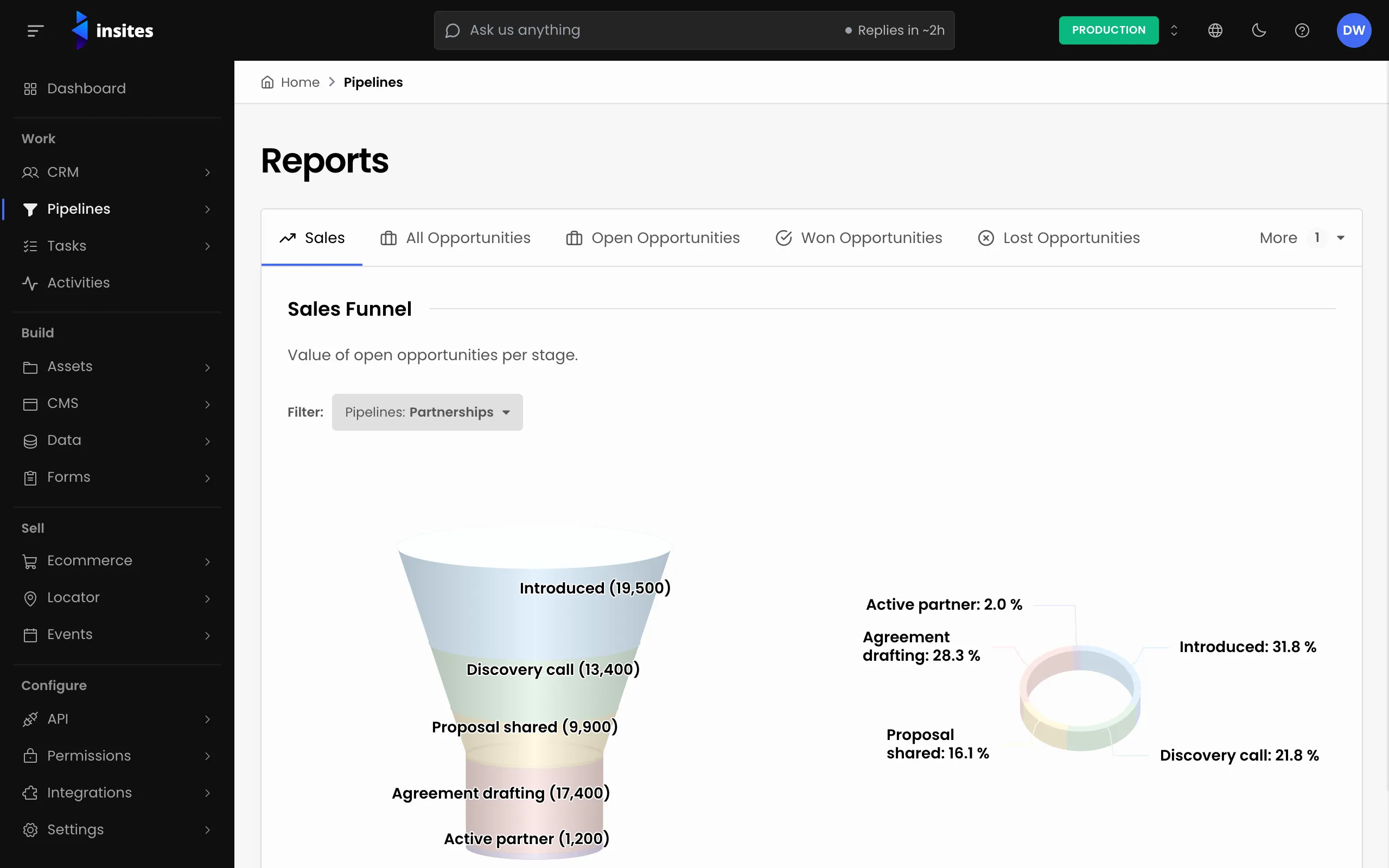
- In the admin, go to Pipelines > Reports. The Sales tab opens.
- Find the Sales Funnel report. It shows the value of open opportunities per stage.
- Use the pipeline filter next to Filter: to choose which pipeline it shows.
Tip
For a quick check without a report, open the Opportunity Board. Each column heading shows the number of opportunities in that stage and their total value.
Compare won deals with your target
Below the funnel, the Sales Target report shows the value of opportunities won against a target. Pick the pipeline in its filter.
To change the target, select Edit. Enter a Target Value, a Start Date and an End Date, then save. All three are required.
Break value down
The other tabs show the same four reports for a group of opportunities: All Opportunities, Open Opportunities, Won Opportunities, Lost Opportunities and Withdrawn Opportunities.
| Report | What it shows |
|---|---|
| Opportunities Per Division | Value and number of opportunities per division |
| Referred Opportunities | Value and number of referred opportunities per referrer |
| Opportunities Per Month | Value of opportunities per month |
| Opportunities By Owner | Value of opportunities by owner |
Each report has its own pipeline filter and date range filter. Set them to the period you want, for example this quarter.
Note
Reports read the Value, status, owner, division and referral fields of each opportunity. Keep those filled in, or the reports undercount.
Take the numbers elsewhere
To work with the figures in a spreadsheet, open the Opportunity Board, pick the pipeline, and choose Export Opportunities from the menu. Insites prepares the file in the background and your download starts when it is ready.
Next steps
- Pipeline reports: the reference for every report.
- Add and move opportunities on the board
- Pipelines: everything the Pipelines module does.